Create IAM Role
Create IAM Role
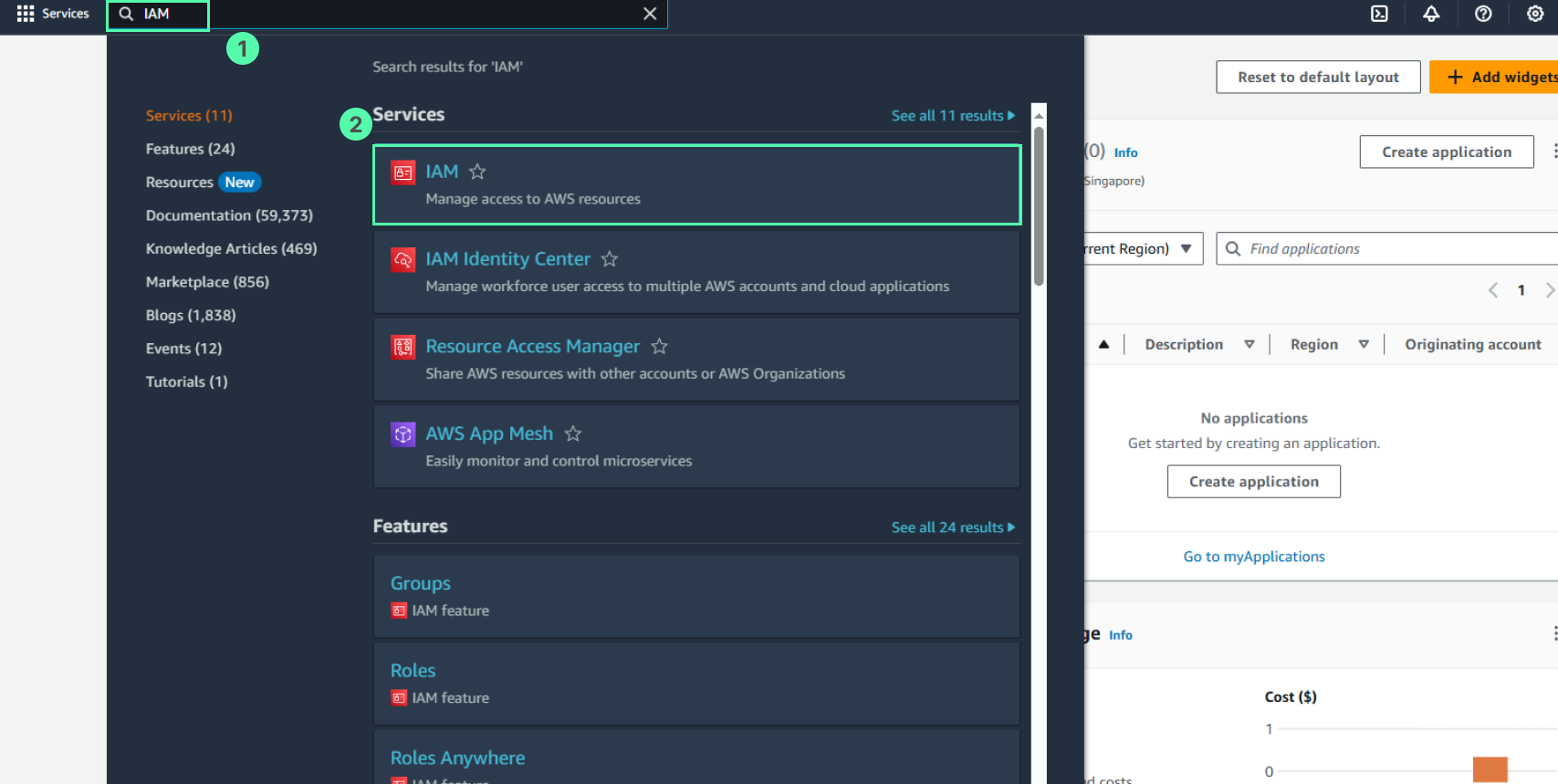
- Access the AWS Management Console
- Find IAM
- Select IAM
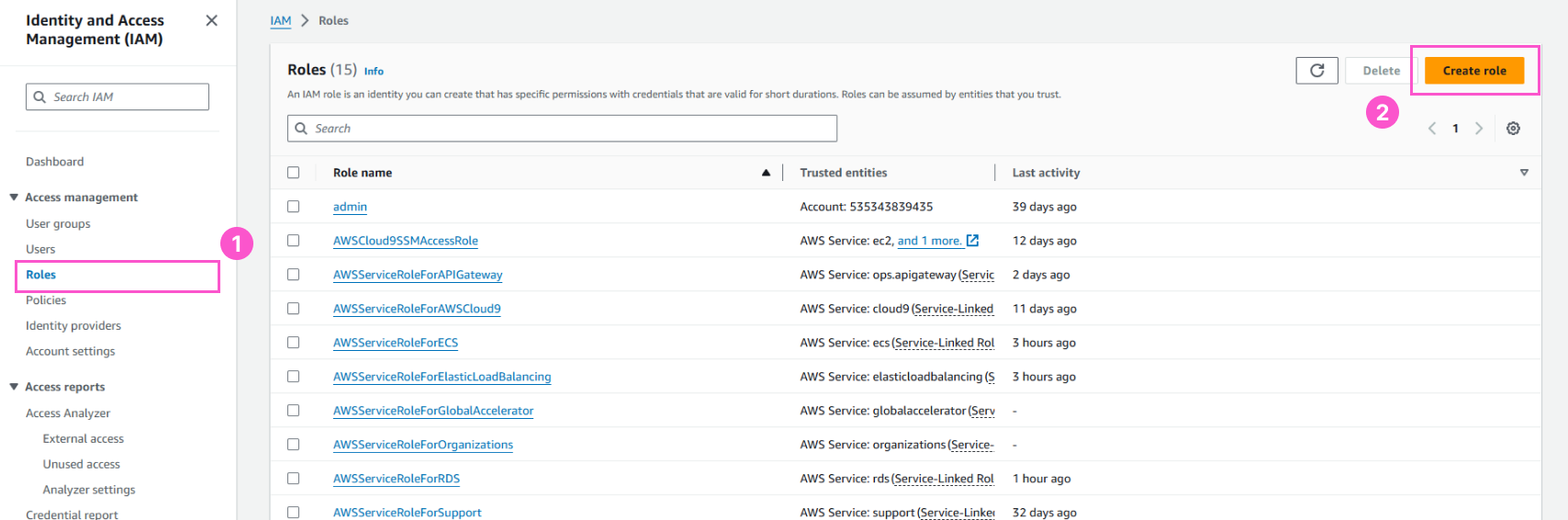
- In the IAM interface
- Select Roles
- Select Create role
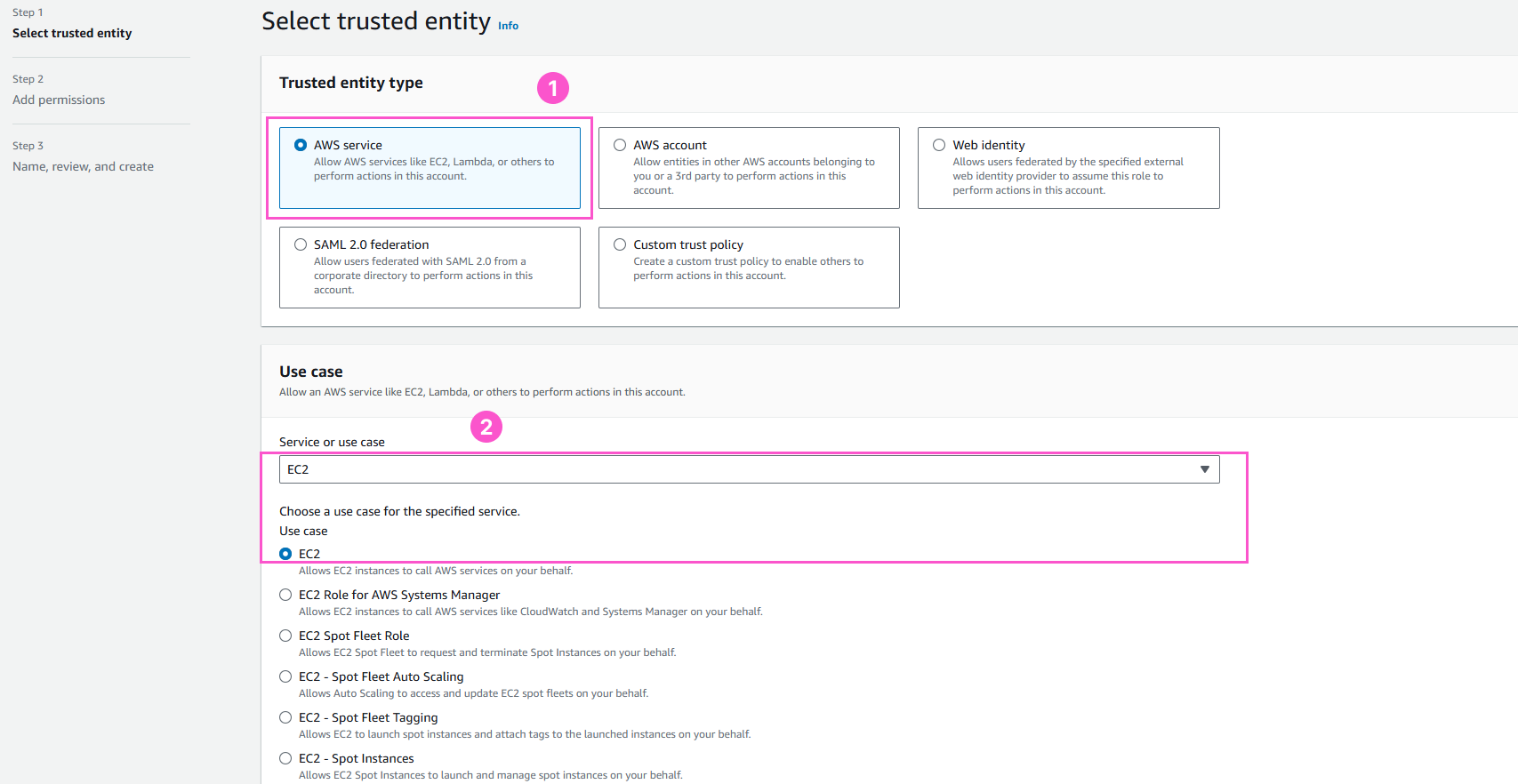
- In the Select trusted entity interface
- Select AWS Service
- Use case, Select EC2
- Select Next
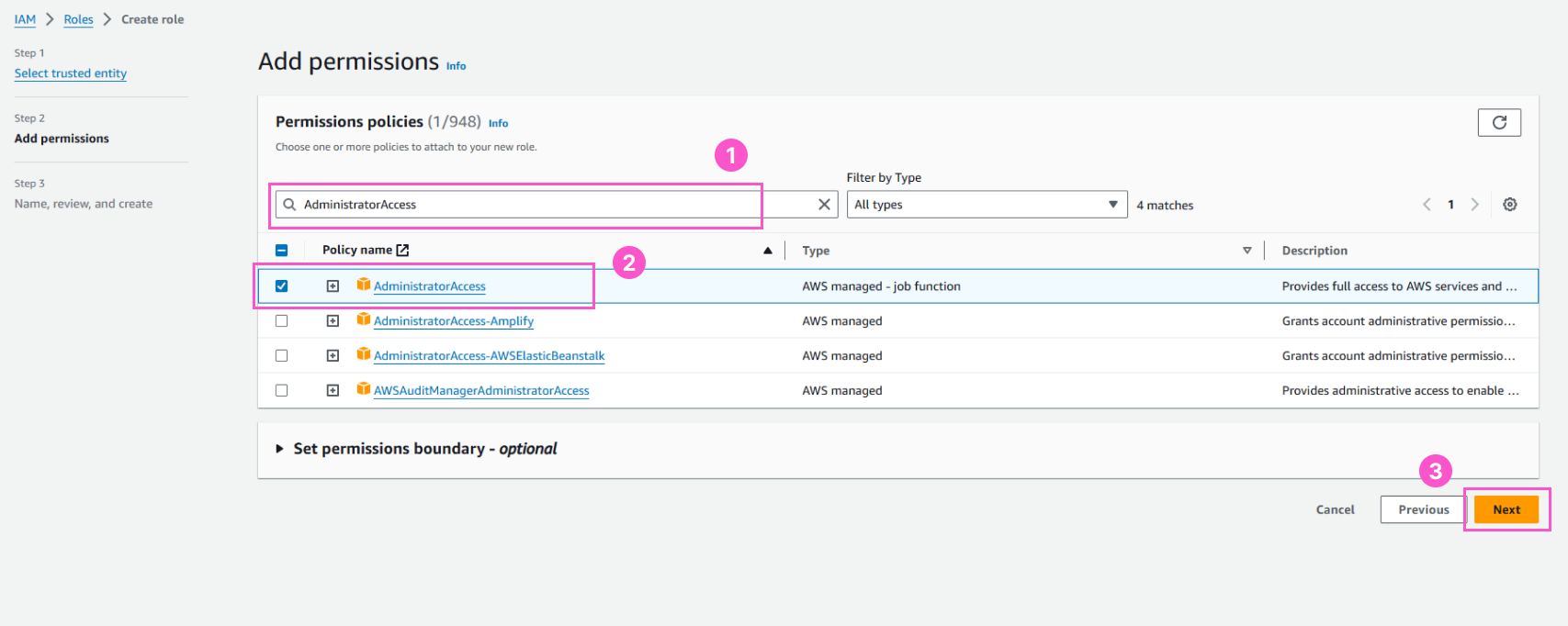
- In the Create role interface
- Find the policy named AdministratorAccess
- Select AdministratorAccess
- Select Next
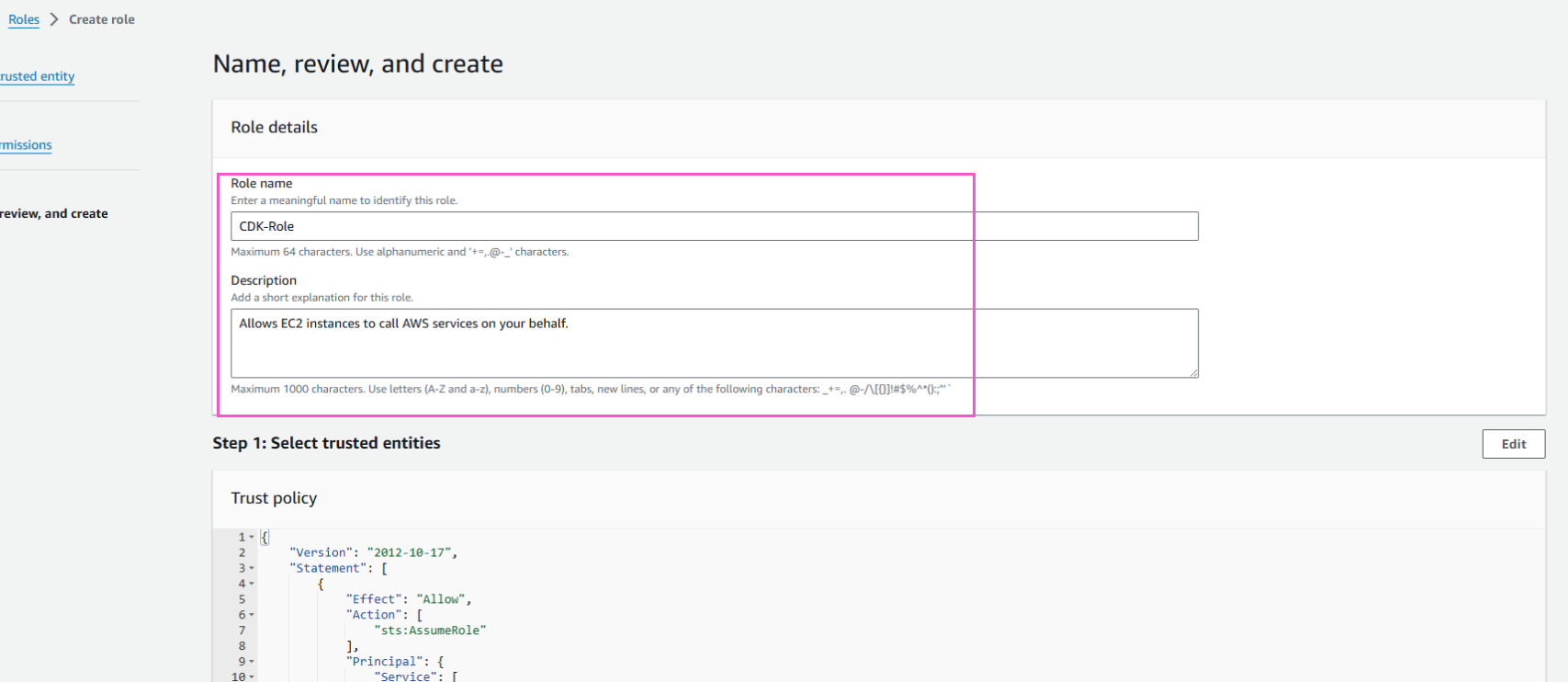
- In the Role details interface
- For Role name, enter
CDK-Role
- Select Create role
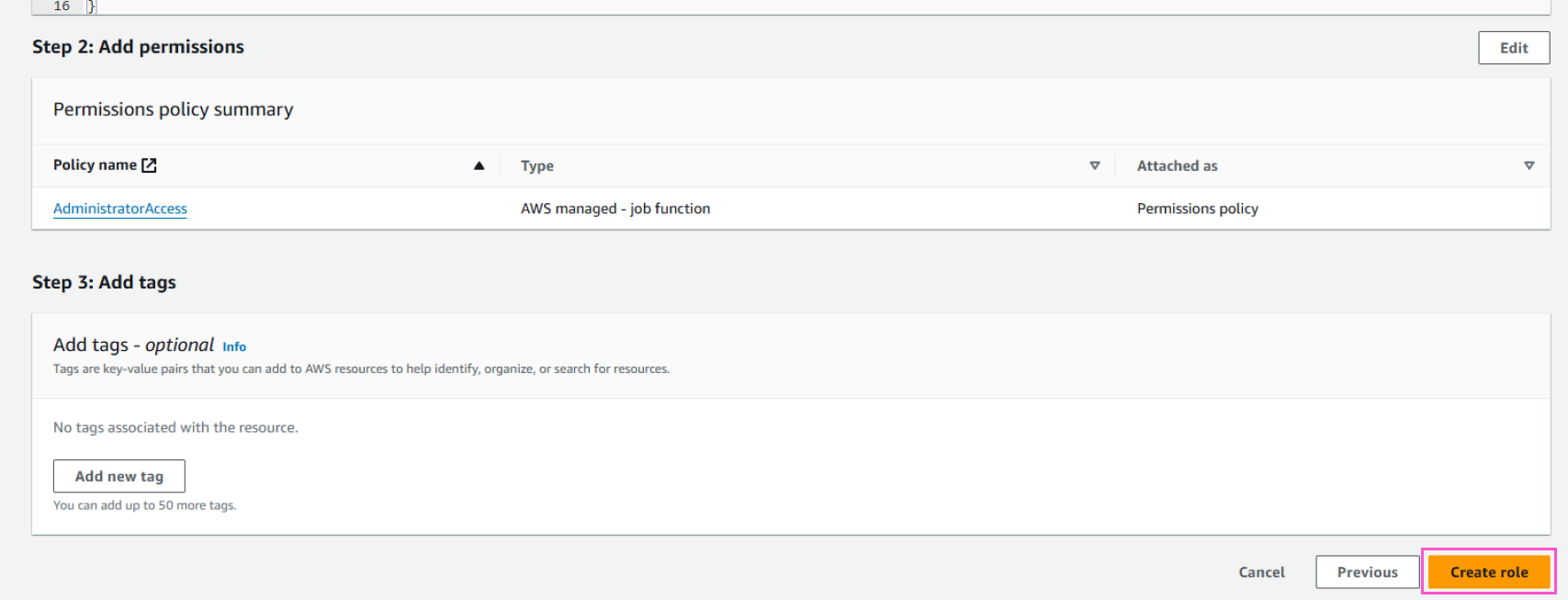
- Finish creating role