ECS, ALB and API Gateway
Create ECS Cluster and Application Load Balancer
- Access VSCode
- If you are in the
cfn-lintvirtual environment, exit usingdeactivate - Go back to the home directory
/home/ec2-user - Create a new folder named
cdk-workshop-02and enter that folder - Create a new CDK project with
pythonlanguage
- If you are in the
cd ~
mkdir cdk-workshop-02
cd cdk-workshop-02
cdk init app --language python
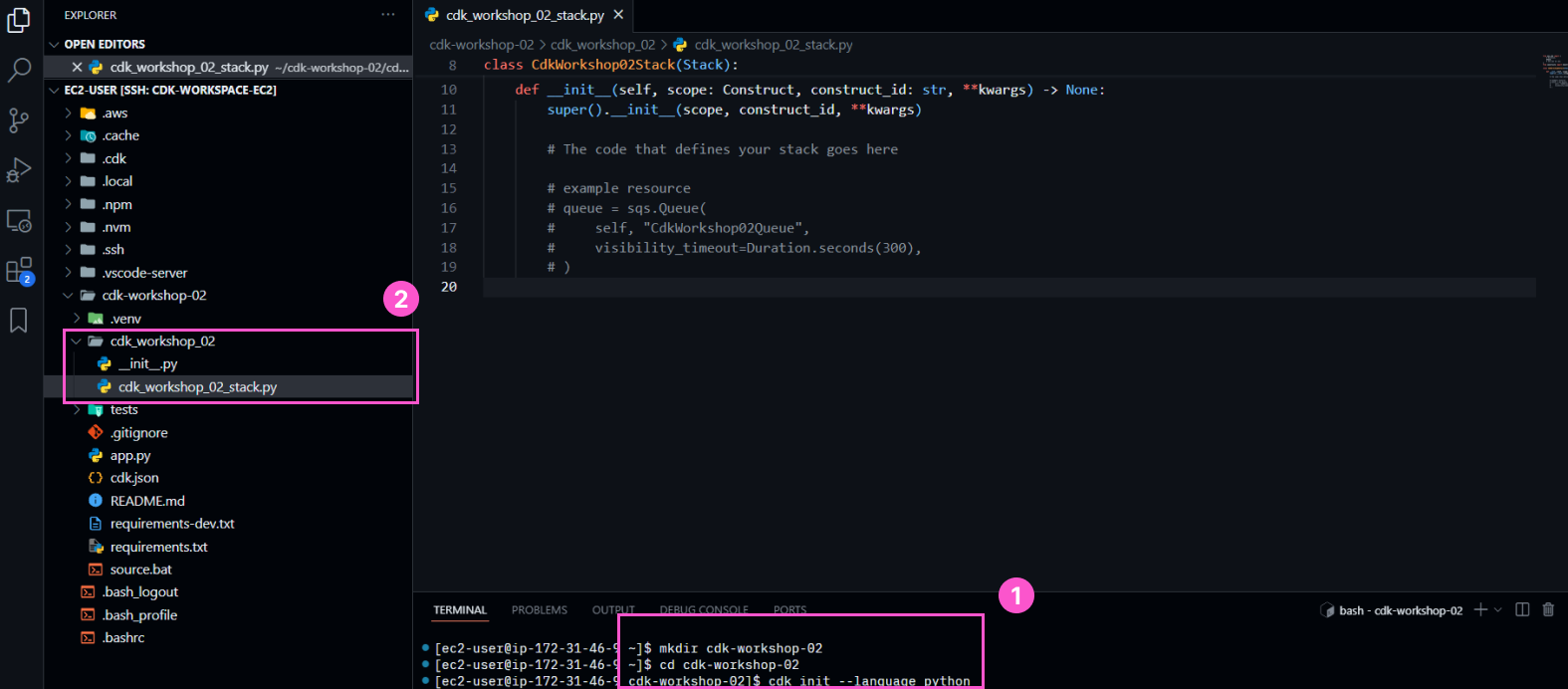
- Open the newly created CDK file
cdk-workshop-02/cdk_workshop_02_stack.pyand add these libraries
from aws_cdk import (
  Stack,
  aws_ecs as ecs,
  aws_ecs_patterns as ecsp,
  aws_apigateway as apigateway
)
from constructs import Construct
- In
cdk-workshop-02/cdk_workshop_02_stack.py, declare an ECS cluster with an Application Load Balancer (ALB) inside the__init__()function
      # Declare a Load Balancer Fargate
      lb_fargate_service = ecsp.ApplicationLoadBalancedFargateService(
				self,
				"Workshop02-MyWebServer",
        task_image_options=ecsp.ApplicationLoadBalancedTaskImageOptions(
            image=ecs.ContainerImage.from_registry("nginxdemos/hello")
        ),
        public_load_balancer=True,
        desired_count=3
      )
ecsp.ApplicationLoadBalancedFargateService will create the following resources:
- A new VPC with default configuration (subnet, Internet Gateway, RouteTable, EIP, Nat Gateway, …)
- A new ECS cluster created in that VPC, running on Fargate
- An ECS Task defined with the
nginxdemos/helloimage from Dockerhub - An ECS Container group initialized from the ECS Task, with a desired count of 3
- An Application Load Balancer placed in front of that ECS cluster
- The necessary roles and security groups
Configure API Gateway
- Declare an API Gateway
# Define API Gateway
api = apigateway.RestApi(self, "ProxyToLBECS")
- Configure the API Gateway resource to point to the DNS of the Application Load Balancer
# Get the DNS value of the Application Load Balancer
lb = lb_fargate_service.load_balancer
lb_dns = lb_fargate_service.load_balancer.load_balancer_dns_name

# Add resource and method for proxy request
proxy = api.root.add_resource("ecs")
proxy.add_method("GET", apigateway.HttpIntegration(f"http://{lb_dns}"))
You can read more about the methods and properties of ApplicationLoadBalancedFargateService at the official CDK documentation of AWS (Python)
- Review the code in
cdk-workshop-02/cdk_workshop_02_stack.py
from aws_cdk import (
    Stack,
    aws_ecs as ecs,
    aws_ecs_patterns as ecsp,
    aws_apigateway as apigateway
)
from constructs import Construct

class CdkWorkshop02Stack(Stack):

    def __init__(self, scope: Construct, construct_id: str, **kwargs) -> None:
        super().__init__(scope, construct_id, **kwargs)

        # Declare a Load Balancer Fargate
        lb_fargate_service = ecsp.ApplicationLoadBalancedFargateService(
          self,
          "Workshop02-MyWebServer",
          task_image_options=ecsp.ApplicationLoadBalancedTaskImageOptions(
              image=ecs.ContainerImage.from_registry("nginxdemos/hello")),
          public_load_balancer=True,
          desired_count=3
        )

        # Define API Gateway
        api = apigateway.RestApi(self, "ProxyToLBECS")

        # Get the DNS value of the Application Load Balancer
        lb = lb_fargate_service.load_balancer
        lb_dns = lb_fargate_service.load_balancer.load_balancer_dns_name

        # Add resource and method for proxy request
        proxy = api.root.add_resource("ecs")
        proxy.add_method("GET", apigateway.HttpIntegration(f"http://{lb_dns}"))
Initialize a Python Virtual Environment
Before we can deploy to the Cloud, we need to:
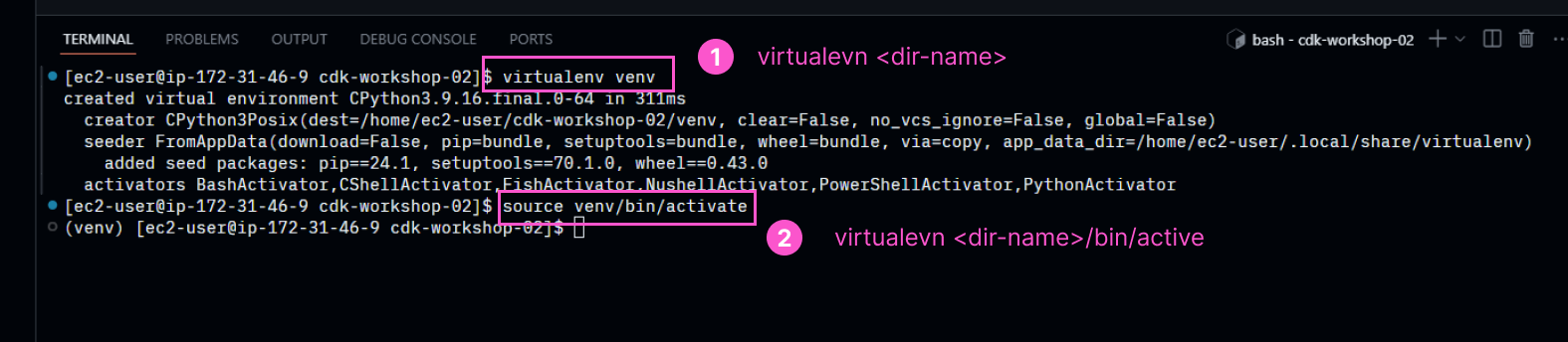
- Initialize a virtual environment in the
cdk-workshop-02folder. The server has both the Amazon Linux 2023 system Python and the self-installed Python 3.14, so we isolate the project’s libraries in a venv to avoid conflicts. - Install the packages listed in
requirements.txt
- Create a virtual environment using Python 3.14 right inside the
cdk-workshop-02folder.
python3.14 -m venv venv
source venv/bin/activate
After activating, verify that the venv is correctly using Python 3.14:
python --version
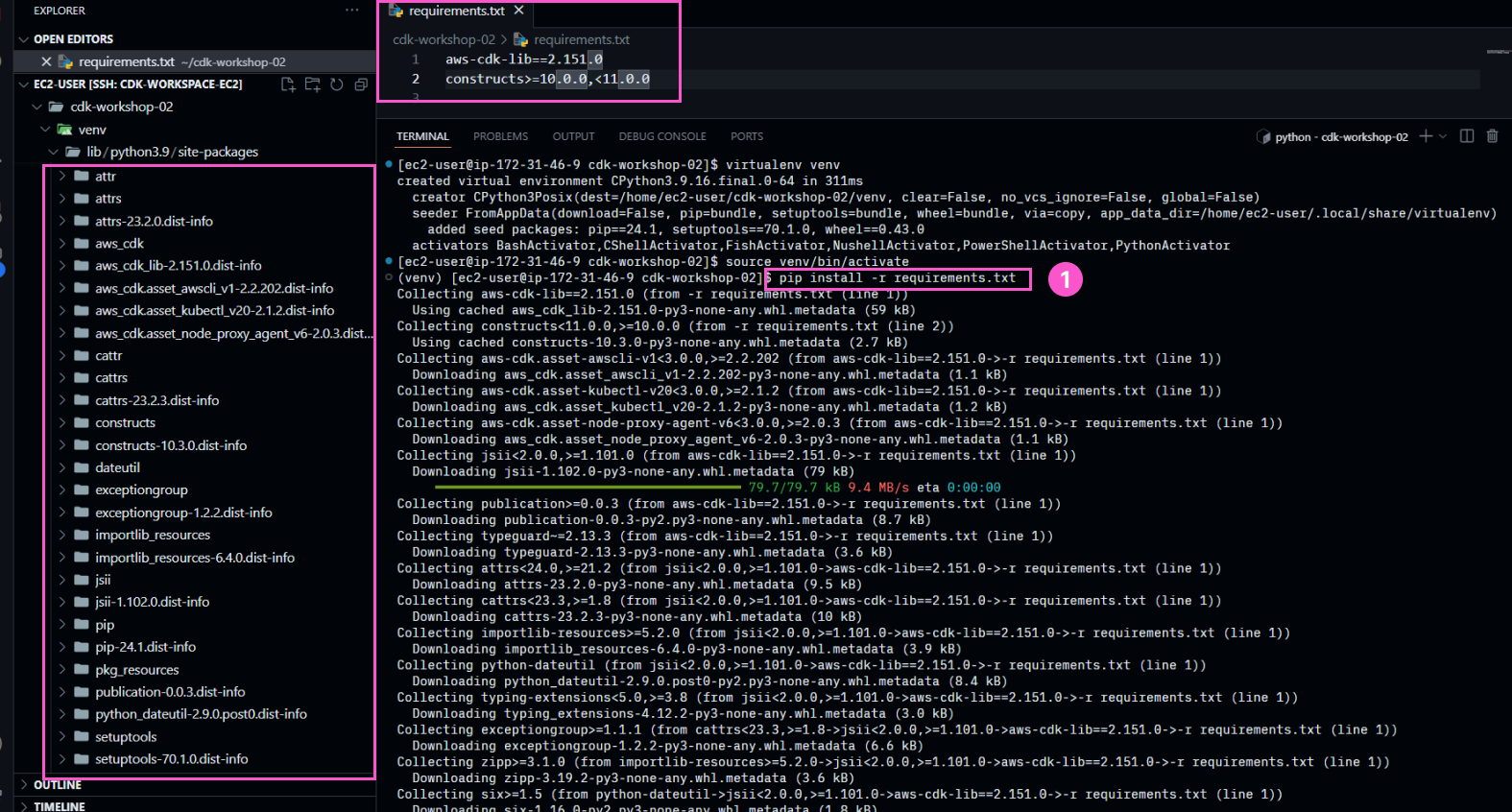
- Install the required libraries from
requirements.txt. Usepython -m pipto ensure they are installed in the correct venv:
python -m pip install -r requirements.txt
Deploy
cdk commands must be run while inside the project folder ~/cdk-workshop-02 and with the venv activated (source venv/bin/activate). If you open a new terminal, re-run these 2 commands:
cd ~/cdk-workshop-02
source venv/bin/activate
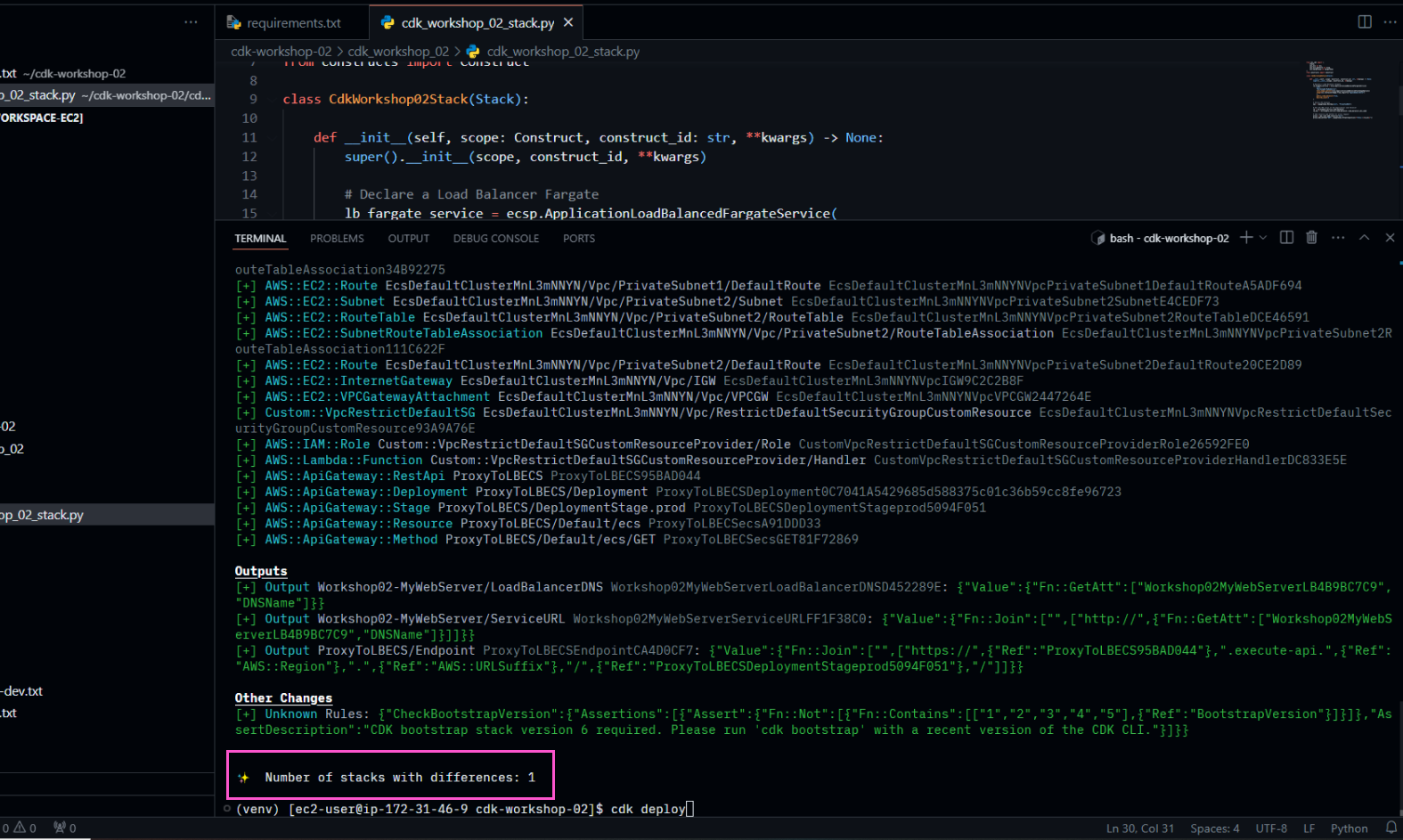
- Check what we have created before deploying
cdk diff
- Before deploying, we need to bootstrap the EC2 environment
cdk bootstrap

- Then, deploy the declared stack
cdk deploy
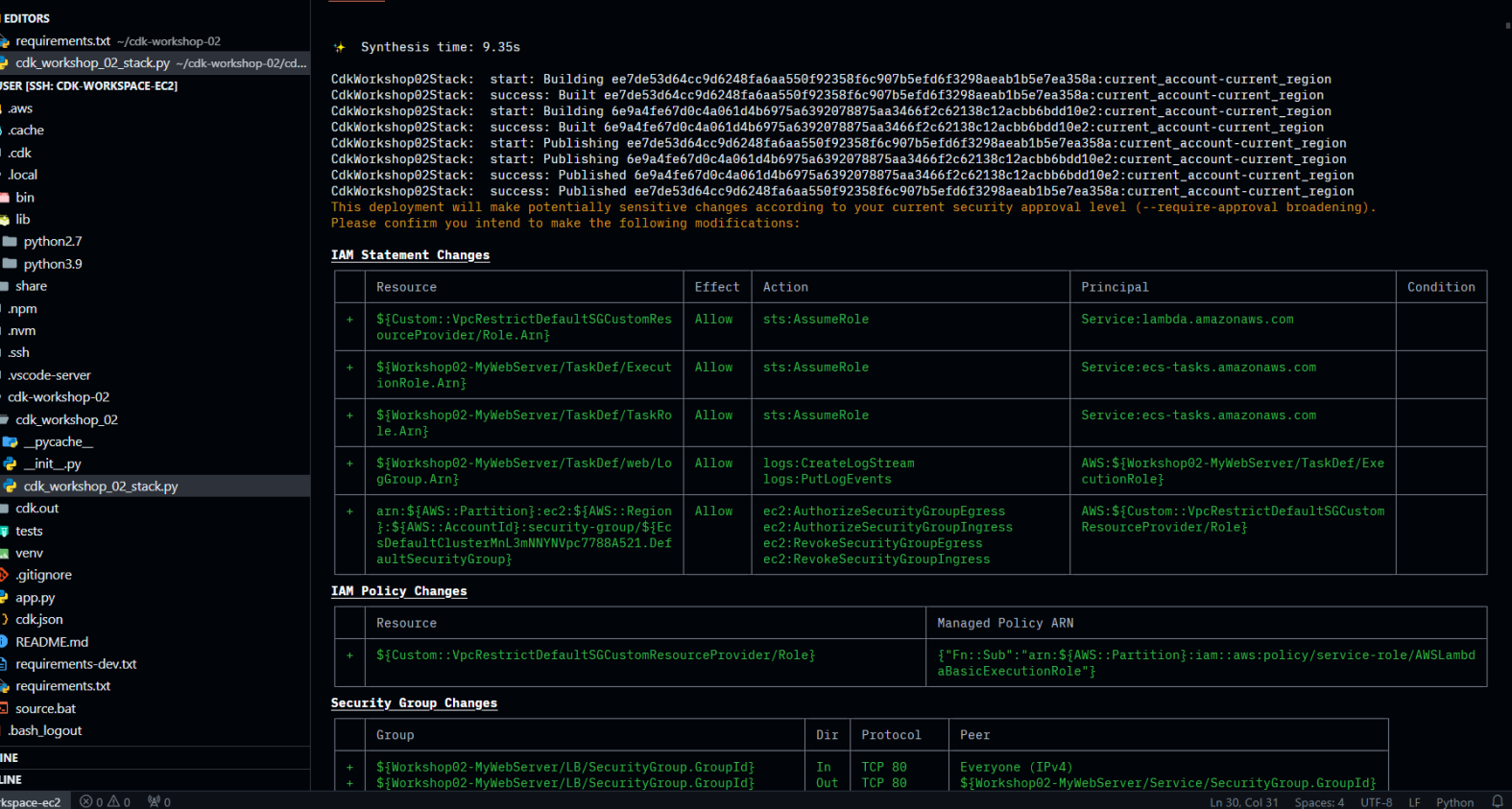
Press y to continue
- Finish and check the results
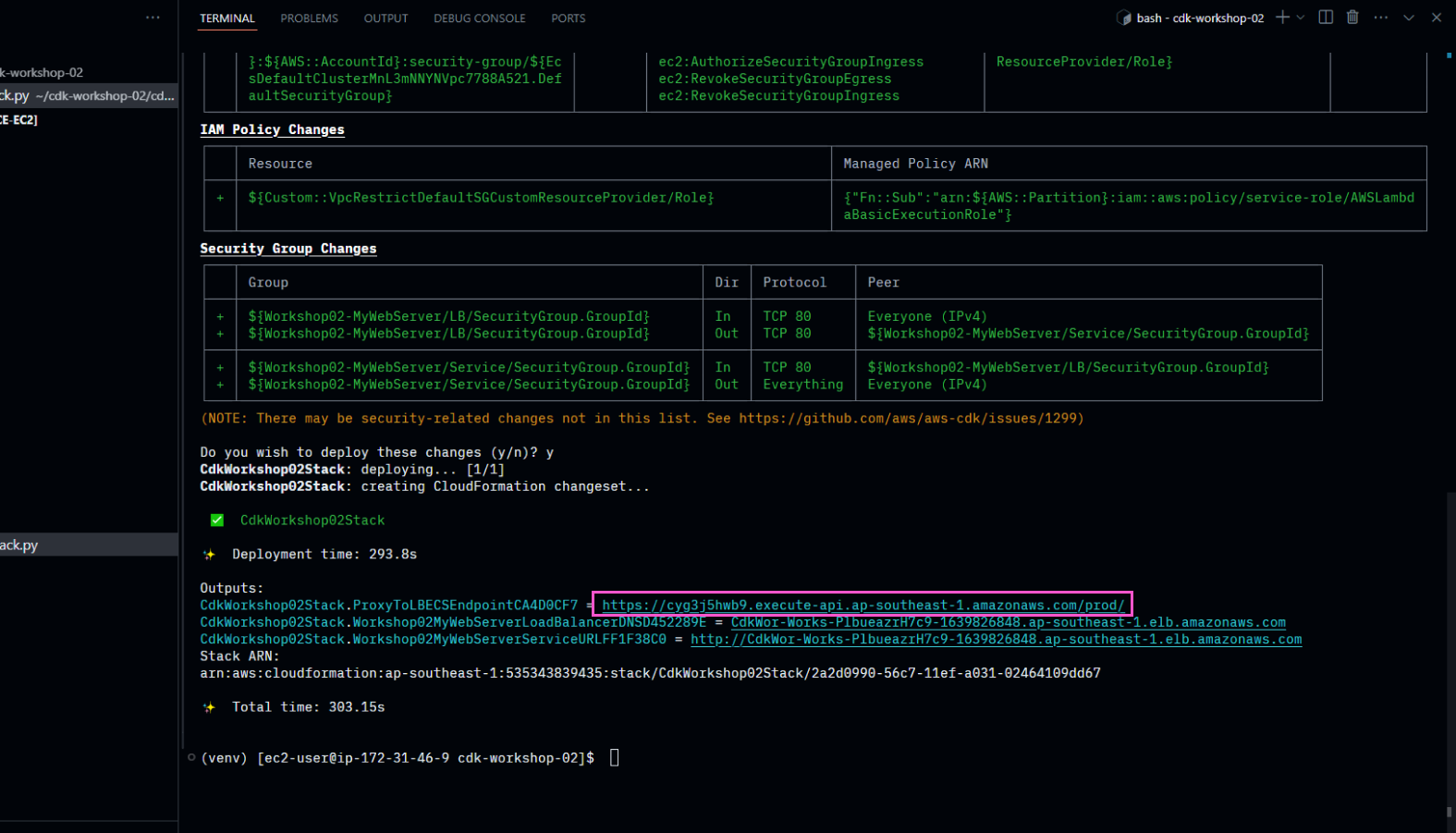
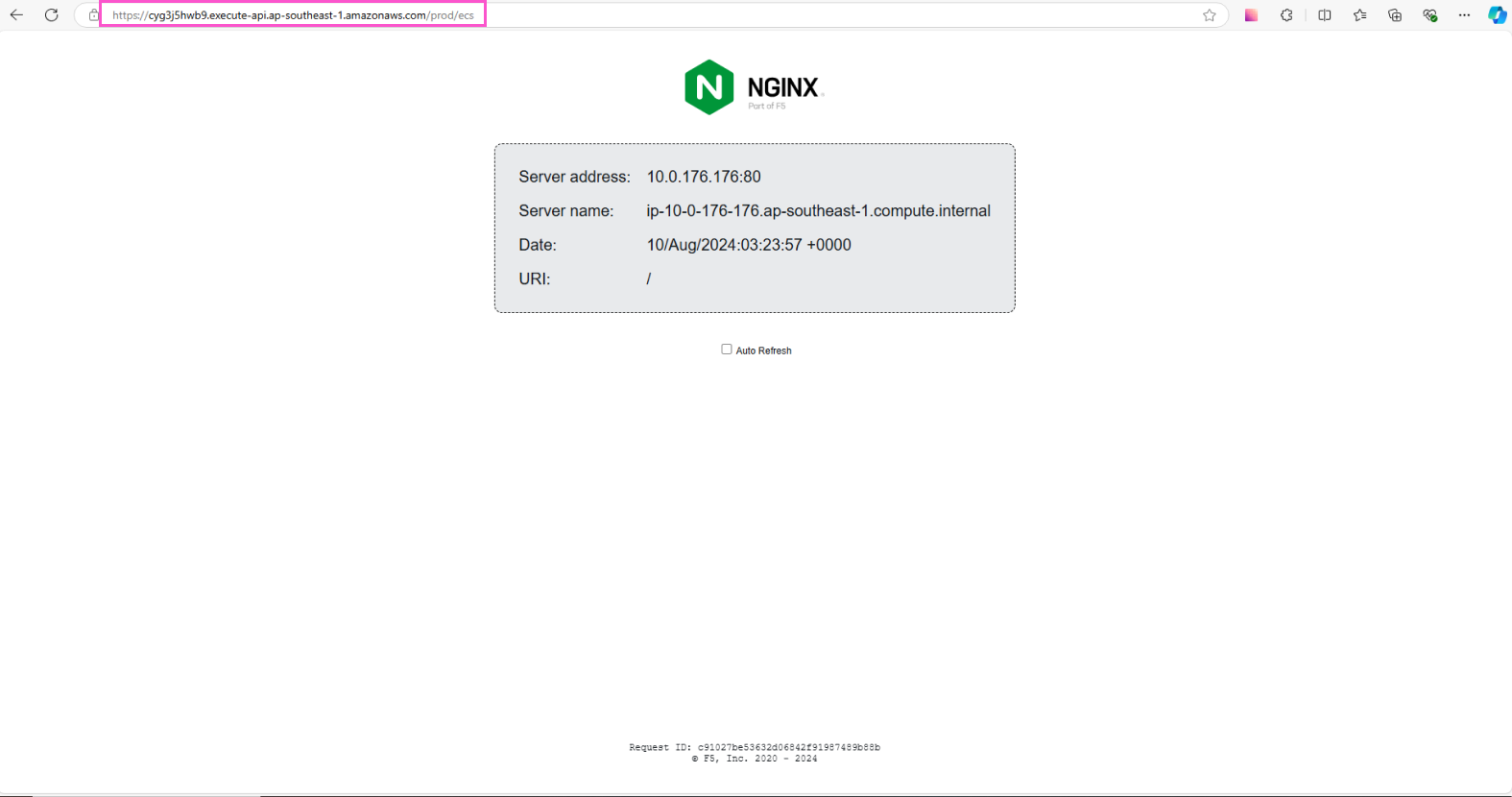
Access the API Gateway link (ProxyToLBECSEndpoint), and append the path /ecs. You will be able to access the web server deployed in ECS.
To verify the Application Load Balancer is working, refresh the browser a few times, and you will see the destination of the web page change. In the previous section, we set the parameter desired_count=3, so there are 3 containers deployed in parallel behind the ALB. You will see the Server address change across browser refreshes.
If you have reached this point, congratulations on completing the first part of the CDK Basic 2 lab. In the next section, we will use CDK to deploy a Lambda function behind an API Gateway resource.