Create nested stacks with CDK
In order to create maintainable, reusable, and more readable CDK source code, we need to separate the stack definitions from the cdk_workshop_02_stack.py file into individual files and gather them all into a main file to deploy to the cloud.
Create nested stacks with CDK
This section continues working on the cdk-workshop-02 project. If you open a new terminal, reactivate the venv before running commands:
cd ~/cdk-workshop-02
source venv/bin/activate
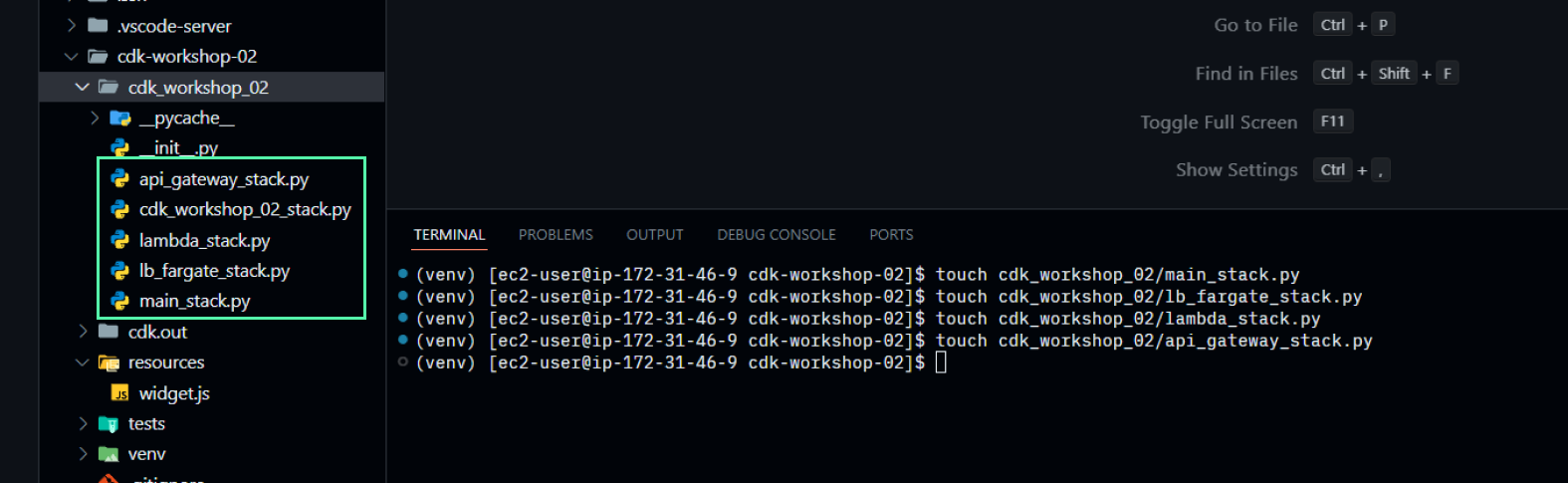
- First, create files to hold the root stack and the nested stacks
touch cdk_workshop_02/main_stack.py
touch cdk_workshop_02/lb_fargate_stack.py
touch cdk_workshop_02/lambda_stack.py
touch cdk_workshop_02/api_gateway_stack.py
- Initialize a nested stack for ECS Fargate + Application Load balancer with the
cdk_workshop_02/lb_fargate_stack.pyfile
from aws_cdk import (
    NestedStack,
    aws_ecs as ecs,
    aws_ecs_patterns as ecsp,
)
from constructs import Construct

class LBFargateStack(NestedStack):

    def __init__(self, scope: Construct, **kwargs) -> None:
        super().__init__(scope, "LB Fargate Stack", **kwargs)

        # Declare a Load Balancer Fargate
        lb_fargate_service = ecsp.ApplicationLoadBalancedFargateService(
            self,
            "MyWebServer",
            task_image_options=ecsp.ApplicationLoadBalancedTaskImageOptions(
                image=ecs.ContainerImage.from_registry("nginxdemos/hello")),
            public_load_balancer=True,
            desired_count=3
        )

        self.lb = lb_fargate_service.load_balancer
- Initialize a nested stack for Lambda with the
cdk_workshop_02/lambda_stack.pyfile.
from aws_cdk import (
    NestedStack,
    aws_s3 as s3,
    aws_lambda as lambda_
)
from constructs import Construct

class LambdaStack(NestedStack):

    def __init__(self, scope: Construct, **kwargs) -> None:
        super().__init__(scope, "Lambda Stack", **kwargs)

        # Add S3 bucket
        bucket = s3.Bucket(self, "WidgetStore")

        # Add Lambda function
        handler = lambda_.Function(self, "WidgetHandler",
                    runtime=lambda_.Runtime.NODEJS_18_X,
                    code=lambda_.Code.from_asset("resources"),
                    handler="widget.main",
                    environment=dict(
                    BUCKET=bucket.bucket_name)
                    )

        # Grant bucket permission to lambda function
        bucket.grant_read_write(handler)

        self.handler = handler
- Initialize a nested stack for API Gateway with the
cdk_workshop_02/api_gateway_stack.pyfile.
from aws_cdk import (
    NestedStack,
    aws_apigateway as apigateway,
    aws_ecs_patterns as ecsp,
    aws_lambda as lambda_
)
from constructs import Construct

class APIGatewayStack(NestedStack):

    def __init__(self, scope: Construct, lb_dns: str, lambda_handler: lambda_.Function,  **kwargs) -> None:
        super().__init__(scope, "API Gateway Stack", **kwargs)

        # Define API Gateway
        api = apigateway.RestApi(self, "ProxyToLBECS")

        # Add resource and method for ECS proxy request
        ecs_proxy = api.root.add_resource("ecs")
        ecs_proxy.add_method("GET", apigateway.HttpIntegration(f"http://{lb_dns}"))

        # Create Lambda integration
        get_widgets_integration = apigateway.LambdaIntegration(lambda_handler,
                request_templates={"application/json": '{ "statusCode": "200" }'})

        # Add resource and method for Lambda proxy request
        lambda_proxy = api.root.add_resource("lambda")
        lambda_proxy.add_method("GET", get_widgets_integration)

        self.url = api.url
- Assemble into the main template file to create the root stack with the
cdk_workshop_02/main_stack.pyfile.
from aws_cdk import (
    Stack,
    aws_apigateway as apigateway,
    aws_s3 as s3,
    aws_lambda as lambda_,
    CfnOutput
)
from constructs import Construct
from .lambda_stack import LambdaStack
from .lb_fargate_stack import LBFargateStack
from .api_gateway_stack import APIGatewayStack

class MainStack(Stack):

    def __init__(self, scope: Construct, construct_id: str, **kwargs) -> None:
        super().__init__(scope, construct_id, **kwargs)

        lb_fargate_stack = LBFargateStack(self)

        lambda_stack = LambdaStack(self)

        # Get the DNS value of the Application Load Balancer
        lb_dns = lb_fargate_stack.lb.load_balancer_dns_name

        api_gateway_stack = APIGatewayStack(self, lb_dns, lambda_stack.handler)

        # Define stack output
        CfnOutput(self, "API Gateway URL", value=api_gateway_stack.url)
- Change the code in the
app.pyfile to use the template we just created.
#!/usr/bin/env python3
import os

import aws_cdk as cdk

from cdk_workshop_02.main_stack import MainStack


app = cdk.App()
# CdkWorkshop02Stack(app, "CdkWorkshop02Stack")
MainStack(app, "MainStack")

app.synth()
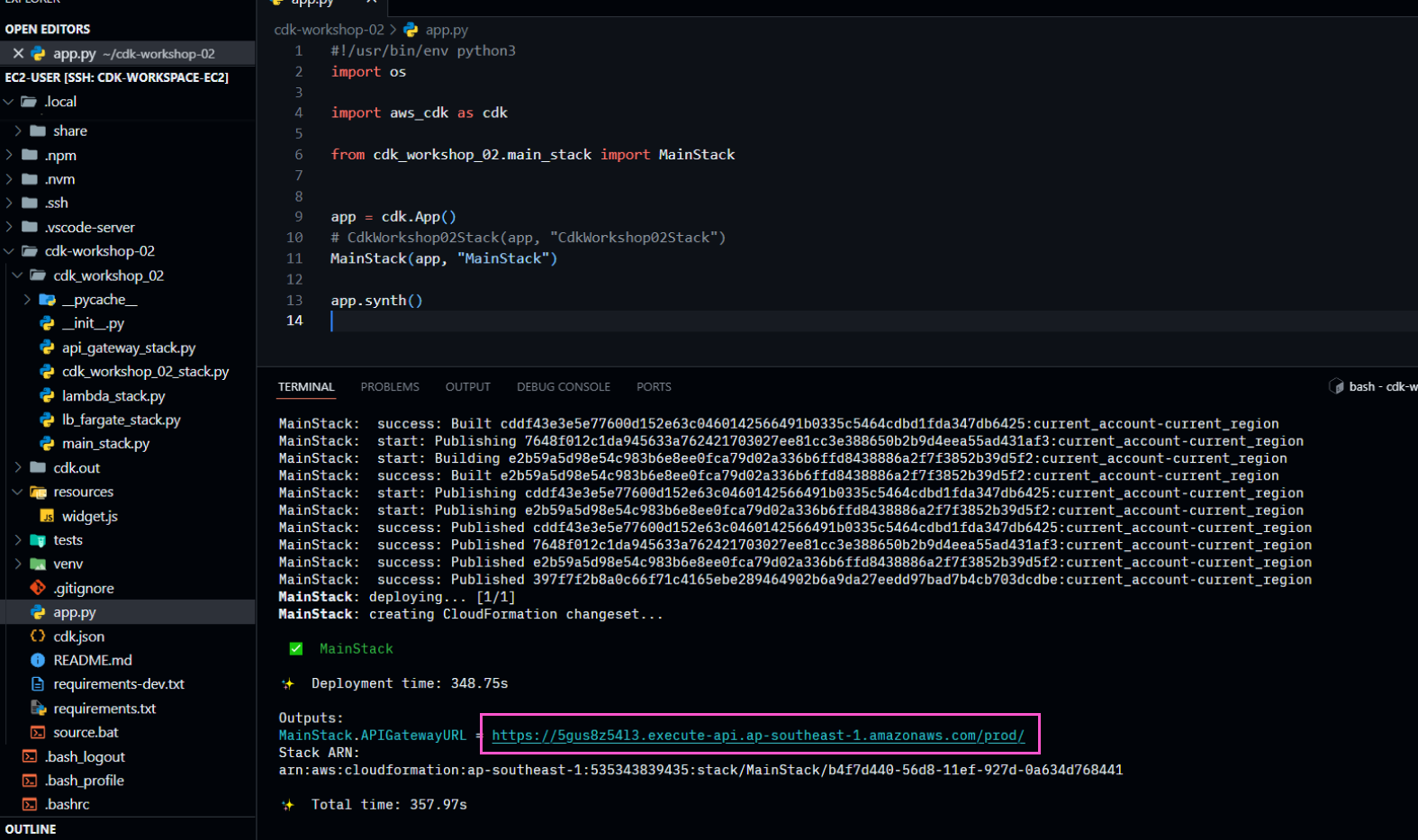
- Deploy!!!
cdk deploy
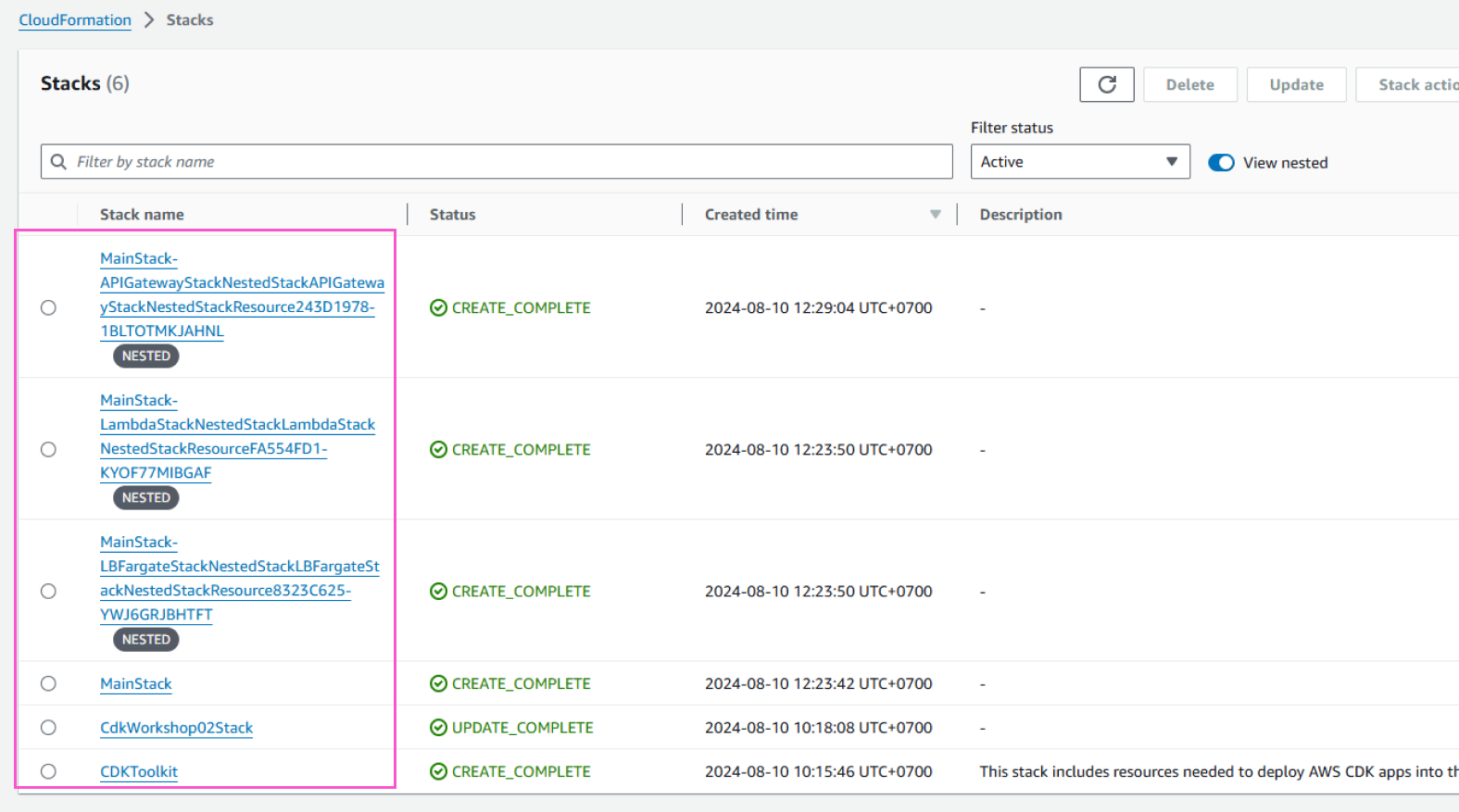
After deploying successfully, you can see the newly created stacks in the AWS CloudFormation Console.
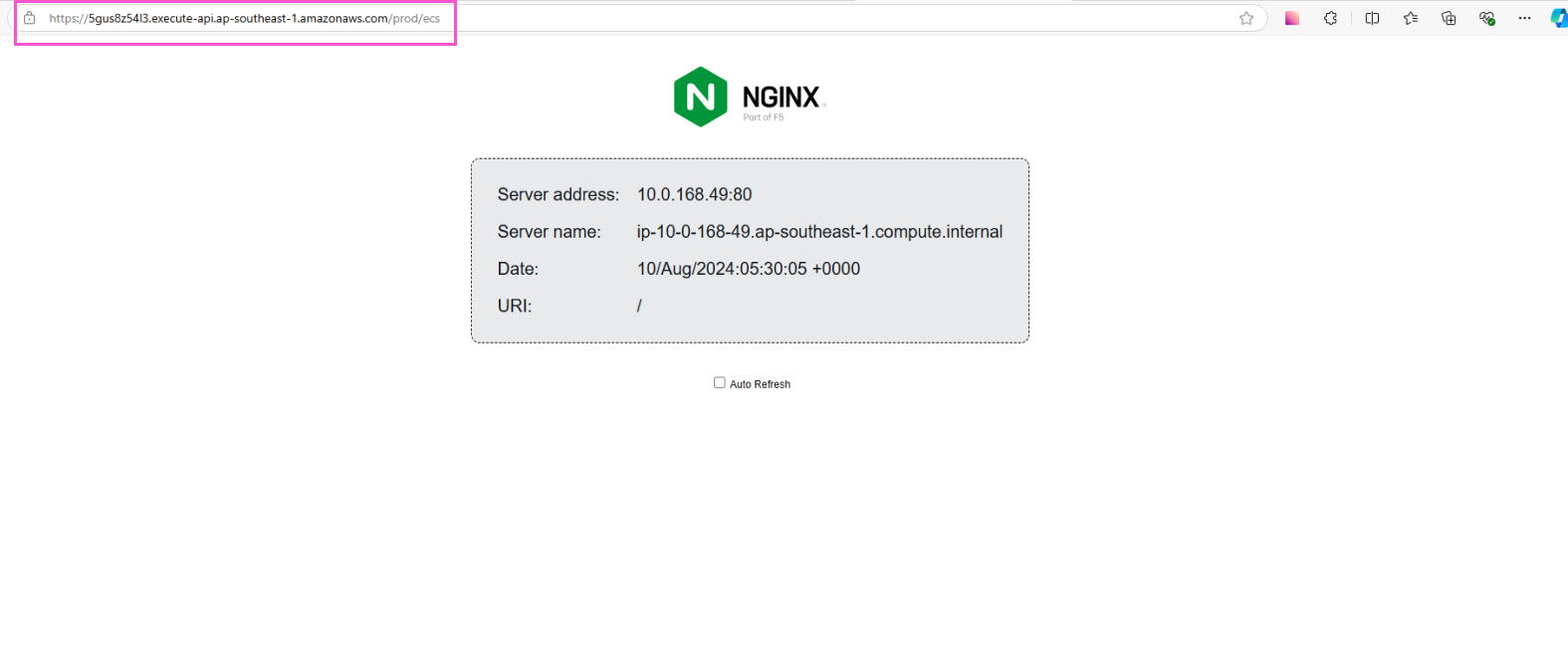
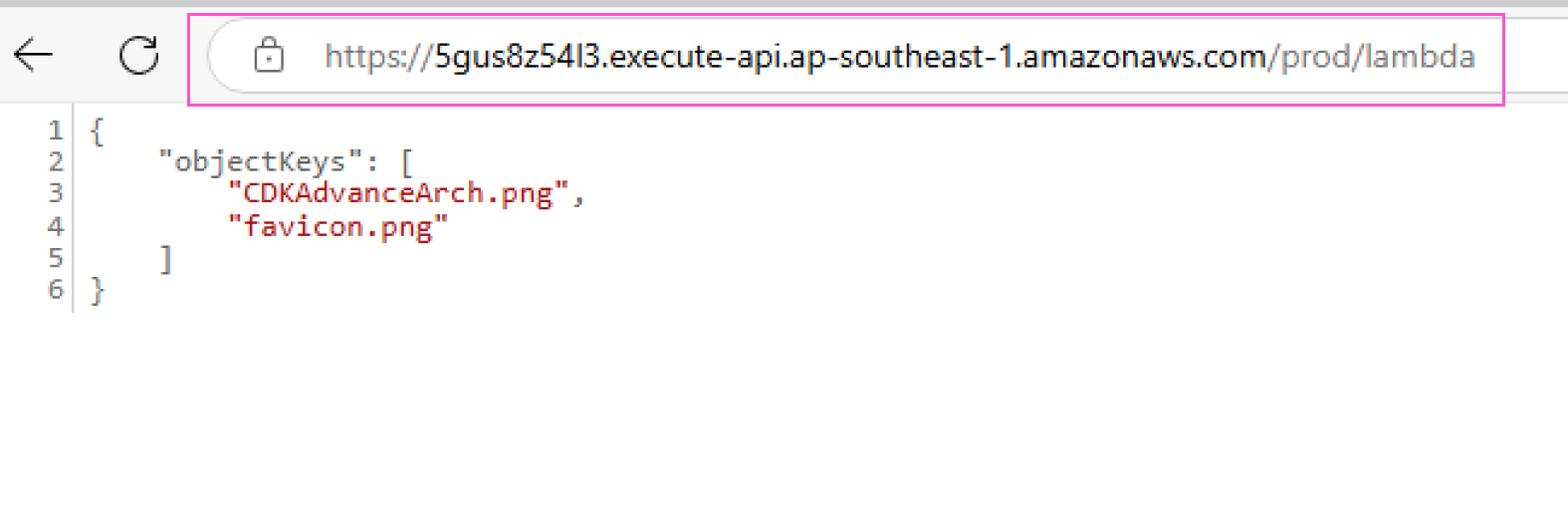
You can try the API Gateway endpoint for Lambda and ECS like in the previous section.
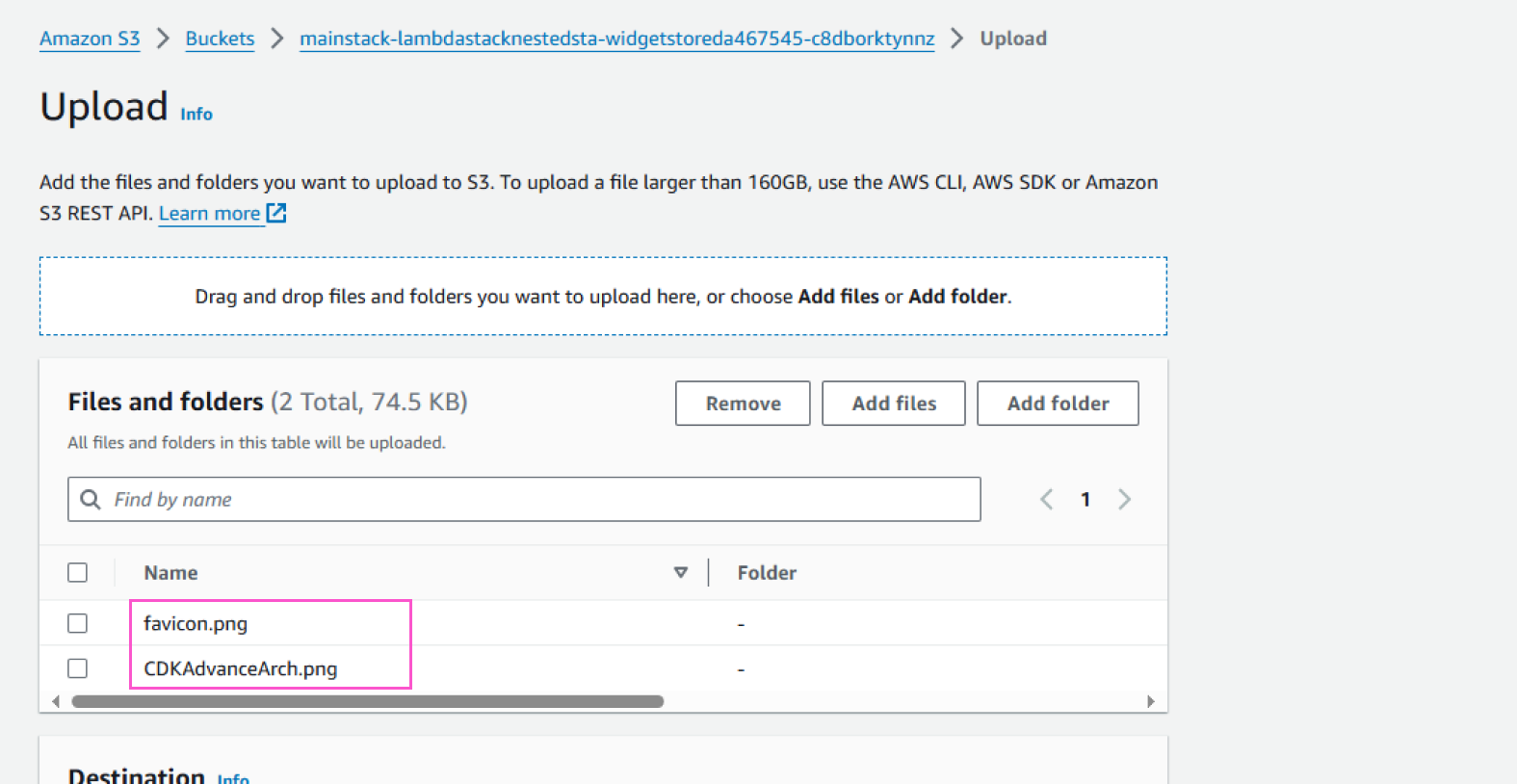
Upload files to S3 for testing
Changing code in the app.py file corresponds to deploying a new CloudFormation template. In this lab, each CloudFormation stack requires 2 elastic IPs to operate. When deploying a stack, if the number of elastic IPs exceeds the account limit (default is 5), the CloudFormation stack may fail to create and get stuck in the IN_PROGRESS state. Make sure you release all unnecessary elastic IPs when doing this lab.